
Artificial Intelligence has changed the way we write, design, and even code. Among the most impactful AI tools for developers today is GitHub Copilot, a coding assistant that suggests code in real time.
While it is a paid service for most users, GitHub also provides a GitHub Copilot Free plan that gives eligible users access at no cost.
This free access has opened new opportunities for students, educators, and beginners who want to explore AI-assisted programming without financial pressure.
In this blog, we will explore everything about GitHub Copilot Free—what it is, who can use it, its benefits, limitations, and future potential decodeai.

1. What is GitHub Copilot Free?
GitHub Copilot is an AI-powered coding tool developed by GitHub in partnership with OpenAI. It uses machine learning models trained on billions of lines of code from open-source projects. The result is an assistant that can predict and suggest code as you type, almost like autocomplete for programming.
The GitHub Copilot Free plan is GitHub’s way of making this tool accessible to specific groups without requiring payment. Eligible users include:
- Verified students through GitHub Student Pack.
- Teachers and academic staff.
- Developers using the free trial option.
This ensures that financial constraints do not stop learners and educators from experiencing the future of coding.
2. Is GitHub Copilot Free for Everyone?
A common question is: “Is GitHub Copilot Free for all developers?” The answer is no. GitHub Copilot Free is not a universal free tool. Instead, GitHub has made it free for two categories:
- Students and educators who verify their status with GitHub Education.
- New users who can access a short free trial before deciding whether to subscribe.
For general developers, GitHub Copilot costs $10/month for individuals and $19/month per user for businesses. Still, the GitHub Copilot Free plan ensures that the tool is accessible to the next generation of coders.
3. Features of GitHub Copilot Free
The free version of GitHub Copilot provides almost the same features as the paid version. These include:
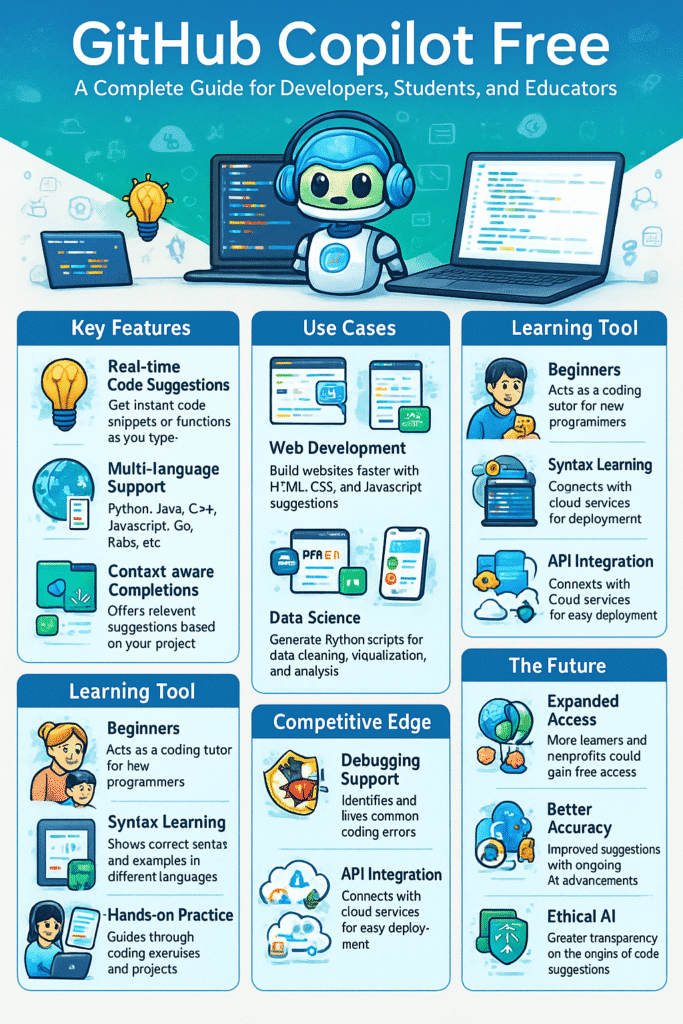
1. Real-time code suggestions
When you are typing code, Copilot suggests the next line or even a full function instantly.
It’s like autocomplete on your phone but for coding.
This saves a lot of time because you don’t have to write everything manually.
It reduces typing errors and makes your coding faster.
Even complex logic can be suggested with just a few keystrokes and more to click the link… https://learn.microsoft.com/en-us/visualstudio/ide/copilot-free-plan?view=vs-2022.
2. Multi-language support
Copilot is not limited to one language; it supports many like Python, Java, C++, JavaScript, Go, and Ruby.
So, whether you are a beginner or advanced, you can use it for different projects.
You don’t need a separate tool for each programming language.
This makes it useful for students, professionals, and hobby coders.
It works across almost all popular coding languages.
3. Context-aware completions
Copilot doesn’t give random code; it studies what you are writing.
It looks at your existing code and gives suggestions that actually match your project.
This makes the code more accurate and useful.
For example, if you are making a calculator, it will suggest math functions instead of unrelated code.
It adapts itself to your coding style and needs.
4. Framework familiarity
It understands famous frameworks like React, Django, and Node.js.
If you are working with these tools, Copilot already knows the common code structures.
It can suggest ready-made code blocks used often in these frameworks.
This saves time because you don’t have to search online for examples.
It’s very handy for web developers and app developers.
5. Learning tool
For beginners, Copilot works like a teacher.
It shows how a piece of code is written in different programming languages.
By seeing the suggestions, students learn coding style and syntax faster.
It makes practice easier because you get guidance while typing.
In short, it acts like a built-in tutor for learning programming.
In short, GitHub Copilot Free gives students and educators access to industry-standard AI coding tools with no cost barrier.
4. Benefits of GitHub Copilot Free
The advantages of GitHub Copilot Free go beyond just writing code faster. Some of the most notable benefits include:
1. Eligibility restrictions
- GitHub Copilot Free isn’t open to everyone.
- It’s specifically available for students, teachers, and people trying out a free trial.
- If you don’t fall into these categories, you’ll need to pay for the subscription.
2. Verification needed
- Students and educators can’t just claim the free version — they must prove their eligibility.
- For example, students may need to submit a valid student email or upload proof of enrollment.
- Teachers may need to show their school or academic institution details.
- Without verification, access won’t be granted.
3. Trial expiry
- For non-students and non-educators, GitHub Copilot Free is usually a short-term trial.
- Once the trial period ends, users must upgrade to a paid plan to continue using it.
- This means you can’t rely on the free version forever unless you qualify under GitHub’s education program.
4. AI errors
- Copilot uses AI to generate code, but it’s not always accurate.
- It may suggest incorrect syntax, buggy logic, or inefficient solutions.
- Sometimes it produces code that doesn’t even run properly.
- Users must review and test all code rather than blindly trusting it.
5. Not a substitute for learning
- Beginners may become too dependent on Copilot, copying suggestions without understanding.
- This can slow down problem-solving skills, since learning programming requires practice and critical thinking.
- While Copilot can assist, it should be used as a helper tool, not as a replacement for studying and practicing coding.
5. GitHub Copilot Free vs Paid
To better understand GitHub Copilot Free, let’s compare it with the paid version:
| Feature | GitHub Copilot Free | Paid Version (Individuals/Business) |
|---|---|---|
| Eligibility | Students, educators, trial users | Anyone who subscribes |
| Cost | Free | $10/month (individuals), $19/month (business) |
| Features | Full AI code suggestions | Full AI code suggestions |
| Duration | Free for verified users / trial | Unlimited as long as subscribed |
| Use in organizations | Limited | Business plans available |
This comparison shows that GitHub Copilot Free gives almost everything the paid version does, but only to selected groups.
6. Limitations of GitHub Copilot Free
While GitHub Copilot Free is an excellent opportunity, it comes with some limitations:
- Eligibility restrictions – Only available to students, teachers, and trial users.
- Verification needed – Students and educators must provide proof of eligibility.
- Trial expiry – Free trials for general users end after a limited time.
- AI errors – Copilot sometimes generates incorrect or inefficient code.
- Not a substitute for learning – Over-reliance can stop beginners from developing problem-solving skills.
Thus, while GitHub Copilot Free is powerful, users should treat it as an assistant, not a replacement for coding knowledge.
7. Use Cases of GitHub Copilot Free
There are countless ways developers, students, and educators can use GitHub Copilot Free:
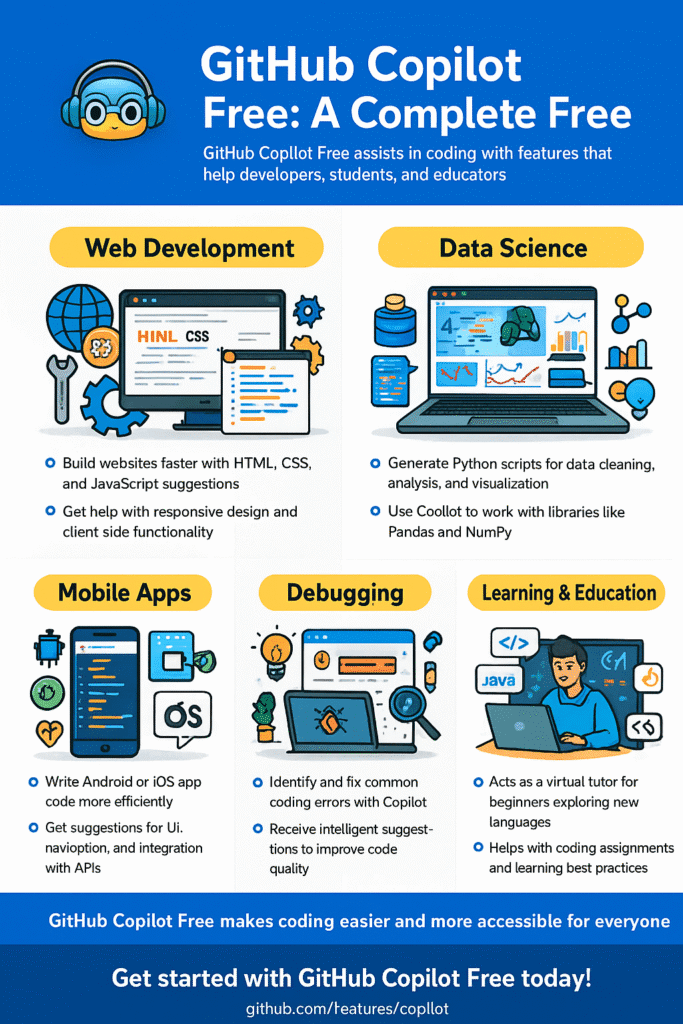
- Web development
Copilot helps in building websites faster by suggesting code in HTML, CSS, and JavaScript.
It can create layouts, design elements, and even interactive parts of a site.
You don’t need to remember every tag or property.
This reduces time spent searching online for small syntax.
In short, it makes front-end and back-end coding smoother.
2.Data science
For data science, Copilot generates Python scripts for cleaning, analyzing, and visualizing data.
It can help write code for libraries like Pandas, NumPy, or Matplotlib.
Instead of memorizing long functions, you get instant suggestions.
This makes handling large datasets easier and faster.
It’s very useful for students and professionals working with data.
3. Mobile apps
Copilot also supports mobile app coding for Android and iOS.
It can generate code snippets for Java, Kotlin, Swift, or React Native.
This saves time in writing repetitive code for apps.
Developers can focus more on features rather than syntax.
It makes app development quicker and less stressful.
4. Debugging support
Copilot helps you identify and fix common coding mistakes.
If you write something wrong, it often suggests the correct way.
This reduces errors and helps projects run smoothly.
It works like a coding assistant that reviews your work instantly.
This is very useful for beginners who make small mistakes often.
5. Learning new languages
Beginners can use Copilot to try out languages like Java, Go, or Rust.
It shows correct syntax and ready-to-use code examples.
This way, you don’t need to start from zero when learning.
You learn by practicing along with Copilot’s suggestions.
It works like a guide for exploring new programming skills.
For students, GitHub Copilot Free can act as a “study buddy” for coding. For teachers, it’s a tool to make lessons interactive.
8. Future of GitHub Copilot Free and AI Coding
1. Expanded access
In the future, GitHub may allow more people to use Copilot Free.
This can include students, teachers, and nonprofit organizations.
The goal is to make coding support available to a wider community.
By giving free access, more people can learn programming without cost.
This will encourage beginners and small teams to adopt Copilot.
It can help spread coding knowledge on a larger scale.
2. Better accuracy
AI keeps improving every year, and so will Copilot.
Future versions will give more correct and useful suggestions.
It will understand the context of your code more deeply.
This means fewer mistakes and less editing work for developers.
Coders can rely on it with more confidence.
In short, it will save time by reducing errors in code.
3. Integration with cloud platforms
Copilot Free may connect more closely with platforms like Azure, AWS, and Google Cloud.
This will help developers directly deploy or test their code on the cloud.
It can suggest cloud-related functions, saving setup time.
For example, creating a server or managing a database can be done faster.
This will make Copilot more powerful for real-world projects.
It connects coding and cloud computing into one smooth process.
4. Competition
With the rise of other AI coding assistants like Amazon CodeWhisperer and Tabnine, the competition in the AI development space is becoming more intense.
These tools are constantly evolving, introducing new features and improving their coding capabilities.
As a result, GitHub Copilot is also pushed to regularly upgrade its free version to stay ahead. This includes offering smarter suggestions, expanding language support, and improving overall performance.
Competitive pressure ensures that Copilot remains one of the top choices among developers. It also encourages innovation and rapid improvements across all platforms.
For users, this means access to better tools without extra cost. Developers can enjoy faster coding, fewer errors, and a more efficient workflow. In the end, the entire developer community gains from this competition.
5. Ethical improvements
Right now, many users wonder where Copilot’s suggestions come from.
In the future, AI tools may explain their source more clearly.
This means more transparency and fewer copyright concerns.
It will help developers trust the tool without legal worries.
Ethical use of AI in coding will become a bigger focus.
Copilot will try to balance smart coding with fair usage.
The future is clear: AI coding assistants will become a standard part of the development process.
GitHub Copilot Free will continue to play a role in making this technology available to learners

9. Conclusion
GitHub Copilot has transformed the way developers code, offering speed, accuracy, and efficiency. The GitHub Copilot Free plan makes this powerful tool accessible to students, educators, and trial users, ensuring that financial limitations do not become a barrier to learning and innovation.
From real-time code suggestions to multi-language support, GitHub Copilot Free provides almost all the benefits of the paid version. However, it also comes with restrictions, such as eligibility requirements and limited trial periods for general developers.
It’s is so helpful