
💡 Introduction AI Mockup Generator
In today’s fast-paced design world, visuals matter more than ever. Whether you’re a graphic designer, e-commerce seller, or marketing professional, you need professional mockups that bring your ideas to life. That’s where an AI Mockup Generator comes in.
With a Free AI Mockup Generator, you can instantly turn your designs into realistic product previews—no Photoshop skills required. These AI tools use advanced algorithms to generate mockups for t-shirts, packaging, mobile screens, business cards, and much more, saving you time and money.
🎨 What Is an AI Mockup Generator?
An AI Mockup Generator is an innovative online tool designed to help designers, marketers, and entrepreneurs create professional-looking mockups quickly and effortlessly. Traditionally, producing a mockup—a realistic representation of how a design, logo, or artwork will appear on a product—required advanced graphic design software like Adobe Photoshop or Illustrator, combined with time-consuming manual work. Designers needed to carefully adjust layers, shadows, perspectives, and lighting to make the design appear realistic on objects like t-shirts, mugs, posters, or tech devices. For someone without technical expertise, this process could be overwhelming and slow.
AI Mockup Generators eliminate these challenges by using artificial intelligence to automate the process. You simply upload your design—whether it’s a logo, illustration, or promotional artwork—and the AI intelligently places it onto a wide range of templates and realistic backgrounds. For example, your logo can instantly appear on a coffee mug, a smartphone screen, a billboard, or even apparel, with accurate reflections, shadows, and alignment. The AI understands dimensions, perspective, and proportions, ensuring the mockup looks natural and professional.
This technology is especially useful for businesses, freelancers, and online shop owners who want to visualize their products before production or display designs in an attractive format for marketing. Instead of spending hours or even days manually creating mockups, an AI-powered solution can generate multiple variations within minutes, allowing for faster decision-making and more efficient workflows.
Key Advantages of Using an AI Mockup Generator
1. Instant Design Previews
One of the most significant benefits of an AI Mockup Generator is speed. You don’t have to wait for a designer or struggle with complicated software to see your design in a real-world context. By uploading your design file, you immediately receive high-quality previews on various mockups. This instant feedback makes it easier to refine your ideas and make necessary adjustments before finalizing your product. Whether you’re testing logo placements, color schemes, or product layouts, AI mockups allow you to visualize concepts quickly and accurately.
2. No Need for Advanced Design Skills
Creating realistic mockups traditionally requires technical skills in graphic design, including familiarity with software like Photoshop, knowledge of layers, and the ability to adjust lighting and perspective. AI Mockup Generators remove these barriers. They are user-friendly and intuitive, often featuring drag-and-drop interfaces, making them accessible even to beginners. Entrepreneurs, social media managers, and small business owners can now create stunning visuals without hiring a professional designer.
3. High-Quality, Realistic Visuals
The AI algorithms in these tools are trained to create photorealistic effects. Shadows, reflections, textures, and proportions are automatically calculated, ensuring that your designs look like they exist in real life. High-quality visuals are essential for marketing, online stores, and client presentations because they convey professionalism and increase customer confidence in your product or brand. A realistic mockup can significantly improve the perceived value of your designs.
4. Variety of Templates Across Different Industries
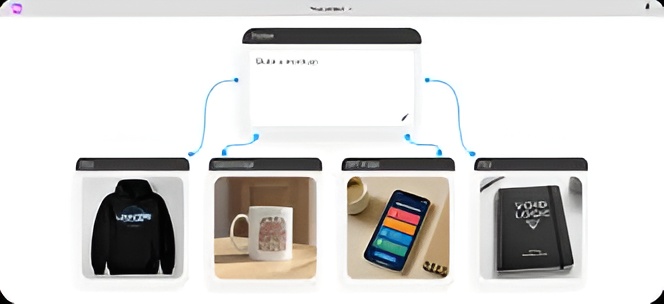
AI Mockup Generators often offer hundreds of templates tailored to various industries. For instance, fashion brands can showcase their designs on t-shirts, hoodies, or hats. Tech startups can present app interfaces or website designs on laptops, tablets, or smartphones. Marketing agencies can display posters, flyers, or banners in realistic office or street environments. This variety ensures that no matter your niche, you have the right context to showcase your product effectively.
5. Accessibility on Any Device
Many AI Mockup Generators are cloud-based and accessible from any device with an internet connection. This means you can create mockups on your desktop, laptop, tablet, or even smartphone without installing heavy design software. Cloud storage also allows you to save your projects, share them with collaborators, or download them in high resolution for printing or digital use.
How AI Mockup Generators Are Transforming Design Workflows
AI Mockup Generators are not just tools—they are transforming how businesses and designers approach product visualization. By reducing the time, cost, and technical expertise needed, these tools democratize design, allowing anyone to present ideas professionally. They enable rapid prototyping, allowing teams to test multiple concepts without committing to production.
For e-commerce businesses, this technology is invaluable. High-quality product mockups can increase conversion rates by providing customers with a clear and appealing view of the product. Social media marketers also benefit, as eye-catching visuals can significantly improve engagement on platforms like Instagram, Facebook, or Pinterest.
Moreover, AI Mockup Generators encourage creativity. Designers can experiment with colors, styles, and placements in a fraction of the time it would take using traditional methods. This flexibility fosters innovation and allows businesses to adapt quickly to trends and customer feedback.
⚙️ How an AI Mockup Maker Works
An AI Mockup Maker is a revolutionary tool that simplifies the design process by automating the creation of realistic product and brand mockups. Whether you are a small business owner, designer, marketer, or entrepreneur, these tools save hours of manual work while producing professional-quality visuals. Understanding how an AI Mockup Maker works can help you maximize its potential and streamline your design workflow.
1. Upload Your Design
The process begins with uploading your design to the AI platform. This could be a logo, website screenshot, product image, or any other visual asset. Most AI Mockup Makers support multiple file formats, such as PNG, JPG, and SVG, and often allow transparent backgrounds for flexible placement.
Once uploaded, the AI immediately analyzes your design. It detects important features such as colors, shapes, and orientation to ensure that it fits naturally on a mockup. Unlike traditional mockup creation, where designers spend significant time manually aligning elements, the AI handles this automatically, minimizing the risk of errors and saving you considerable time.
This step is straightforward, even for beginners. You don’t need to have design software skills or experience with layers, masks, or templates. A simple drag-and-drop interface is usually all that’s required, making the tool accessible to anyone.
2. Select Your Mockup Type
Next, you choose the type of mockup that best represents your product or project. AI Mockup Makers offer a wide variety of templates for different industries and purposes. Examples include:
- Apparel: T-shirts, hoodies, hats, tote bags, and other wearable products.
- Packaging: Boxes, bottles, labels, and other consumer goods packaging.
- Device Screens: Smartphones, tablets, laptops, and desktop monitors for app or website previews.
- Posters and Banners: Wall posters, event banners, or advertising materials.
- Stationery and Branding: Business cards, letterheads, notebooks, and other corporate assets.
Each template is designed to simulate a real-world environment, including shadows, textures, reflections, and perspective. The AI ensures your design adapts naturally to the chosen mockup type, automatically resizing, aligning, and curving the image if needed.
The vast selection of templates allows you to experiment with different contexts and showcase your design in multiple ways without extra effort. This is particularly useful for businesses preparing marketing materials, e-commerce product listings, or social media promotions.
3. AI Processing
Once the design and mockup type are selected, the AI engine begins processing. This is the core step that sets AI Mockup Makers apart from traditional mockup methods. Using advanced machine learning algorithms, the AI analyzes your design and the chosen template to ensure the final output looks realistic and polished.
The AI automatically handles:
- Perspective and alignment: Ensuring your design follows the natural angles of the product or surface.
- Lighting and shadows: Adjusting brightness, contrast, and shadow effects so your design appears naturally integrated.
- Texture adaptation: Matching the design to the surface of the object—whether it’s fabric, paper, glass, or metal.
- Scaling and positioning: Resizing the design proportionally and placing it precisely on the template without distortion.
This intelligent processing removes the need for complex manual editing and reduces the chances of mistakes, such as misaligned designs or unnatural proportions.
4. Download the Final Mockup
After processing, the AI Mockup Maker generates a high-quality, realistic image ready for use. Most platforms allow you to download the mockup in multiple formats and resolutions. Options may include:
- HD images for marketing materials, product listings, and presentations.
- Transparent background files to integrate the mockup into other designs or websites.
- Social media-ready formats optimized for Instagram, Facebook, Pinterest, or other platforms.
This flexibility ensures that your mockups are immediately usable for a wide range of purposes, from online stores and ads to client presentations and pitch decks.
Why AI Mockup Makers Are So Effective
The real value of an AI Mockup Maker lies in how it simplifies the creative workflow. By automating technical tasks like alignment, lighting, and texture matching, it allows designers and marketers to focus entirely on creativity and strategy. You can quickly generate multiple variations of a design, test different product concepts, and visualize branding ideas in a fraction of the time it would take manually.
Moreover, these tools are accessible on any device with an internet connection. Whether you are working on a desktop, laptop, tablet, or smartphone, you can create professional mockups on the go. Cloud-based storage also ensures that your projects are safe, shareable, and easy to edit later.
🧰 Best Features of a Free AI Mockup Generator
- Free Access: Many online mockup makers offer free plans for basic designs.
- Custom Templates: AI tools automatically adjust proportions and lighting.
- No Design Experience Needed: Anyone can create professional visuals in minutes.
- Brand Consistency: Generate mockups with the same style and color palette.
- Instant Previews: Get multiple mockup styles instantly to compare.
- Cloud-Based: No downloads, works directly in your browser.
🛍️ Who Can Use an AI Mockup Tool Online?
1. Designers: To present concepts to clients faster.
2. E-Commerce Sellers: For Amazon, Etsy, or Shopify listings.
3. Startups: To showcase logos, packaging, and branding.
4. Marketing Teams: For ad campaigns and social media visuals.
5. Students and Freelancers: For portfolios or quick concept presentations.
🧠 Benefits of Using AI for Mockup Generation
- Saves Time: Generate 100+ mockups in seconds.
- Saves Money: Avoid paying for expensive stock templates or design software.
- Consistency: Maintain visual identity across all platforms.
- Creativity Boost: Explore new ideas quickly without manual editing.
- Scalability: Perfect for agencies managing multiple clients.
🔍 Comparison: Traditional vs AI Mockup Generators
| Feature | Traditional Mockup | AI Mockup Generator |
|---|---|---|
| Time Required | 30–60 mins per design | 1–2 mins |
| Skill Level | Professional | Beginner-friendly |
| Software | Photoshop or Sketch | Browser-based |
| Cost | Paid licenses | Free / low cost |
| Output Quality | High but manual | High and automatic |
🧩 Popular AI Mockup Tools Online
AI Mockup Generators have revolutionized the way designers, marketers, and entrepreneurs create realistic product and brand visuals. Instead of relying on traditional graphic design tools, these platforms leverage artificial intelligence to automatically generate high-quality mockups in minutes. With so many options available online, choosing the right tool can be overwhelming. Here’s a detailed look at some of the most popular AI Mockup Makers that are widely used across industries.
1. Smartmockups – Easy-to-Use with Canva Integration
Smartmockups is a versatile AI mockup platform designed to simplify the creation of professional product visuals. One of its standout features is seamless integration with Canva, allowing users to import their designs directly without downloading files. This makes it ideal for marketers and small business owners who frequently use Canva for graphics and social media posts.
The platform provides a large library of templates across various categories, including apparel, tech devices, packaging, and posters. Smartmockups focuses on user-friendliness, with a drag-and-drop interface that makes it easy for beginners to generate realistic mockups in seconds.
Other notable features include:
- HD exports for web and print use.
- One-click mockup generation for multiple devices and products.
- Ability to customize backgrounds, angles, and lighting.
Smartmockups is particularly appreciated by startups and online store owners because it streamlines the workflow from design to final presentation without requiring advanced graphic design skills.
2. Placeit by Envato – Thousands of Templates
Placeit, powered by Envato, is one of the most popular online mockup generators globally. It offers thousands of ready-made templates that cover almost every industry imaginable. Whether you need a t-shirt mockup, a mobile app screen, a poster, or even social media graphics, Placeit has it covered.
The AI behind Placeit automatically positions your designs accurately on the selected template, adding realistic shadows, reflections, and textures to produce professional-grade visuals. Its user-friendly interface allows you to generate mockups in just a few clicks, making it suitable for freelancers, agencies, and businesses of all sizes.
Key advantages of Placeit include:
- Wide variety of mockup categories and templates.
- High-resolution downloads suitable for marketing and e-commerce.
- Branding tools for logos, videos, and social media posts.
Because of its extensive library and intuitive workflow, Placeit has become a go-to solution for businesses that need high-quality mockups quickly without hiring professional designers.
3. Mockey.ai – Indian-Based Free AI Mockup Generator
Mockey.ai is an India-based AI-powered platform that offers free mockup generation for startups, freelancers, and small businesses. It focuses on simplicity and accessibility, making it an excellent choice for designers who want quick results without investing in expensive software.
Users can upload logos, website screenshots, or product images and select from various mockup categories such as apparel, posters, devices, and packaging. The AI engine intelligently places the designs onto templates, adjusting size, alignment, and perspective to produce realistic visuals.
Notable features of Mockey.ai:
- Free mockup generation with HD downloads.
- Wide range of templates for multiple industries.
- Simple one-click mockup creation process.
Mockey.ai’s emphasis on free access and ease of use has made it popular among Indian entrepreneurs and small businesses looking to create professional branding visuals on a budget.
4. Mediamodifier – 3D Mockups for Packaging and Apparel
Mediamodifier is a powerful AI mockup platform known for its advanced 3D mockup capabilities. Unlike traditional 2D mockups, Mediamodifier allows users to create three-dimensional representations of products such as packaging, apparel, and tech gadgets.
Its AI automatically maps designs onto 3D templates, adjusting angles, lighting, and shadows to make visuals appear lifelike. The platform also offers customizable scenes and environments, helping brands showcase their products in realistic contexts.
Key highlights of Mediamodifier include:
- 3D mockups for packaging, apparel, and tech products.
- Ability to edit backgrounds, textures, and lighting.
- HD downloads for marketing campaigns and online stores.
Mediamodifier is particularly useful for businesses that want to provide a more immersive presentation of their products, giving customers a better understanding of size, shape, and texture.
5. Renderforest – AI-Powered Brand Visuals and Mockups
Renderforest is an AI-powered platform that goes beyond simple mockups to provide full brand visual solutions. Along with mockup generation, it offers tools for creating videos, logos, websites, and other branding materials.
The mockup feature allows users to upload designs and instantly generate realistic visuals for apparel, tech devices, posters, and marketing materials. Its AI engine ensures precise alignment, proper lighting, and proportional scaling, creating professional-quality mockups without manual adjustments.
Key benefits of Renderforest include:
- Integrated branding and design tools alongside mockup creation.
- HD downloads for digital marketing and e-commerce.
- One-click generation of visuals suitable for multiple platforms.
Renderforest is ideal for businesses and marketers looking for an all-in-one solution that combines branding, video, and mockup creation in a single platform.
Why These AI Mockup Tools Are Game-Changers
All these AI Mockup Makers share some common advantages that make them indispensable for modern businesses:
- Free Templates: Most platforms offer a wide variety of templates for different industries, making it easy to start designing without extra costs.
- High-Quality HD Downloads: Mockups can be downloaded in high resolution, ready for e-commerce, marketing, or social media.
- One-Click Generation: AI handles the technical aspects, allowing users to focus on creativity and experimentation.
- Accessibility: Cloud-based platforms ensure you can work from any device, anywhere, without installing heavy software.
By using these tools, businesses can save time, reduce costs, and present professional-quality visuals to their customers, clients, or audience. They are especially valuable for startups, small businesses, and freelancers who need quick, realistic, and appealing mockups without hiring professional designers.
🌐 How to Choose the Best AI Mockup Maker
When selecting a Powerful AI Mockup Maker Online, look for:
- Template variety (products, devices, apparel)
- Customization options (backgrounds, shadows, lighting)
- Output resolution (HD or transparent PNG)
- Speed and ease of use
- Free plan availability
🚀 Step-by-Step: Create a Mockup Using an AI Tool Online
- Visit a Free AI Mockup Generator website (e.g., Mockey.ai).
- Upload your logo or design.
- Choose the desired mockup category (t-shirt, phone, billboard, etc.).
- Adjust placement, color, or lighting (optional).
- Click Generate Mockup.
- Download or share the final visual.
That’s all—it’s fast, professional, and perfect for online use.
💬 Real-World Use Cases
- Startups: Visualize branding before printing materials.
- App Developers: Showcase UI screens on mobile devices.
- Fashion Designers: Preview apparel designs on models.
- Marketing Agencies: Create ad creatives for campaigns.
🔧 Future of AI Mockup Tools
AI design tools are evolving. Future AI Mockup Generators may include:
- Real-time 3D rendering
- Voice or text-based design creation
- Personalized template recommendations
- AI-generated branding kits
AI is transforming how creators visualize products—making professional design accessible to everyone to click here…https://www.canva.com/en_in/
🏁 Conclusion
A Free AI Mockup Generator is more than just a design tool—it’s a creative partner that simplifies your workflow, saves time, and delivers professional results.
Whether you’re a designer, business owner, or marketer, using an AI Mockup Maker or AI Mockup Tool Online allows you to create stunning visuals instantly. Try one today and experience how AI can supercharge your design process ….http://decodeai.blog